MOHID Widgets for Elementor.
Nine drag-and-drop widgets that connect your masjid or Islamic center to the MOHID platform. Show live prayer times, donations, campaigns, programs and events, styled to match your site and updated automatically every 5 minutes.
Live in three steps
Connect the API
Open MOHID Widget Settings and enter your Masjid URL, Masjid Key and API Key. Click Save and the plugin connects and starts syncing right away.
Drag & drop
Edit any page with Elementor, open the MOHID category in the widget panel, and drop the widget you need onto your layout.
Configure & style
Use the Content tab to pick layouts and toggle sections, then the Style tab for colors, fonts and spacing. Publish.
Every widget, explained
What each widget does, the layouts it offers, and exactly how to set it up in Elementor.
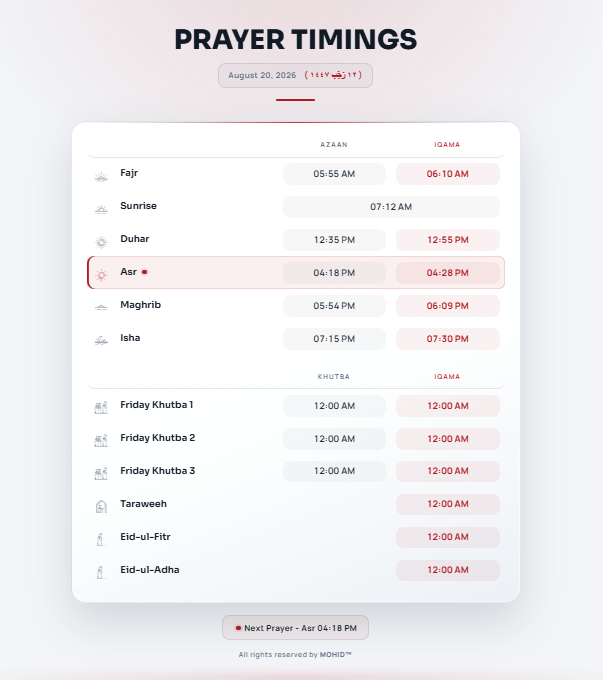
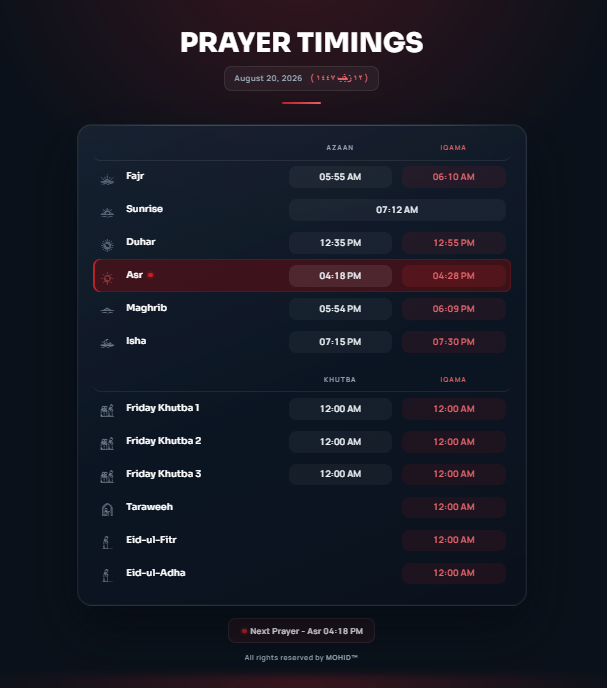
Prayer Timings
Displays the daily prayer schedule with Adhan and Iqamah times for all five daily prayers, and automatically highlights the next upcoming prayer.
- Fajr, Dhuhr, Asr, Maghrib and Isha with Adhan & Iqamah columns
- Other Prayers section: Jumma, Taraweeh & Eid, and Eid-ul-Adha (each toggled separately)
- Gregorian Date (with a Display Date format selector), Hijri Date and a Sunrise Box
- Next Prayer highlight with editable heading, plus an optional Download Calendar link
- Every label is editable: prayer names, Adhan/Iqamah labels, sub-titles and headings
Drop it in and pick Layout One or Layout Two. Layout One offers a Display option (with icons / with sub headings / without icons & sub headings); Layout Two offers with icons / without icons. Then toggle Primary Prayers, Iqamah, Date (+ date format), Hijri Date, Sunrise Box, Other Prayers (Jumma / Taraweeh & Eid / Eid-ul-Adha), Next Prayer and Download Calendar. Rename any label in the Content tab, then style rows, headings, the date area and the next-prayer block in the Style tab.
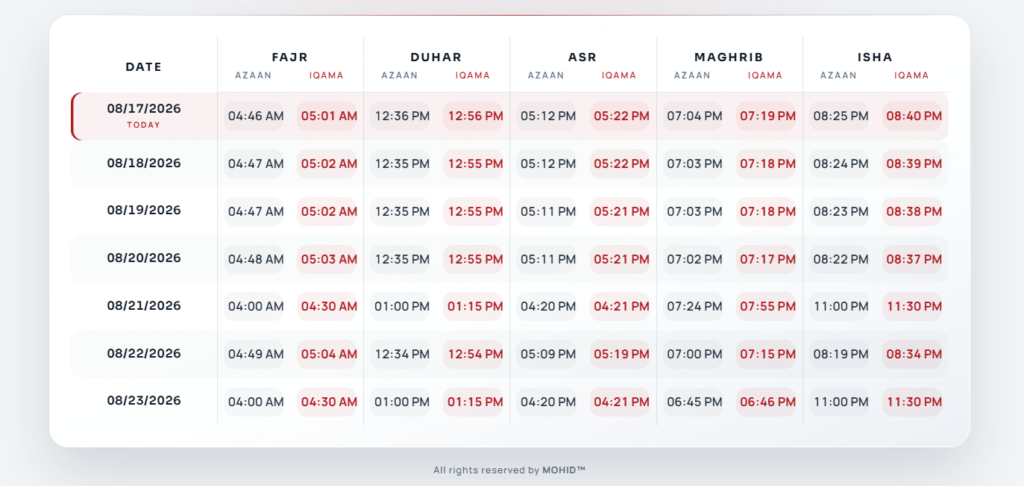
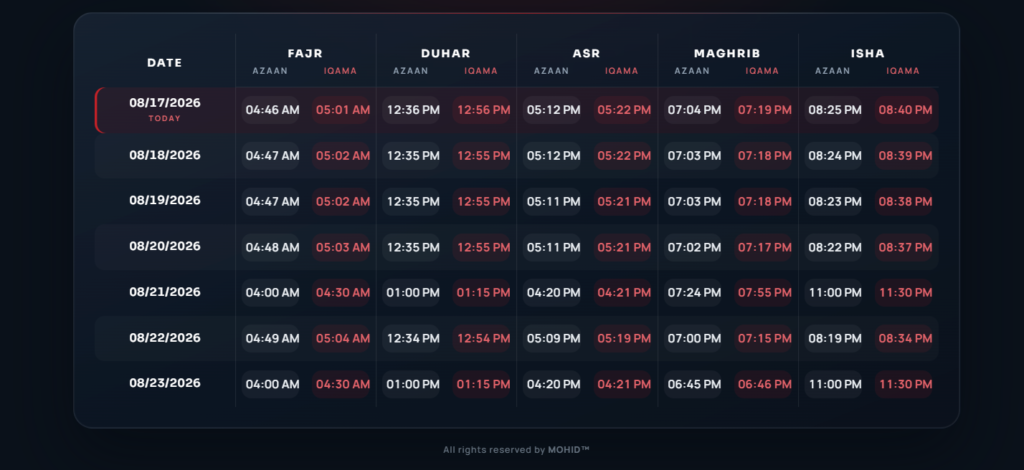
Weekly Prayer Timings
Shows the prayer schedule for the whole week in one table, so visitors can check upcoming prayer times quickly.
- Full week of prayer times in a single view
- Two layout styles (Layout One / Layout Two)
- Editable Main Heading and a Display Date format selector
- Iqamah column toggle (Show / Hide)
- Editable Adhan, Iqamah and each prayer label (Fajr, Dhuhr, Asr, Maghrib, Isha)
Drop it in, pick Layout One or Two, set the Main Heading and Display Date format, and toggle Iqamah on or off. Rename the Adhan / Iqamah / prayer labels in the Content tab, then style the table header, rows, time boxes, borders and typography in the Style tab.
Donations
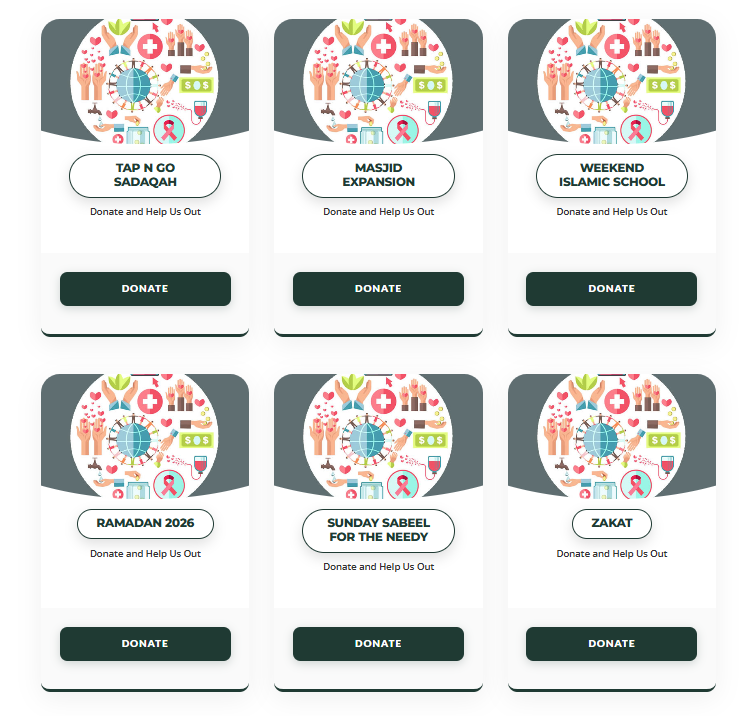
Displays the donation categories from your MOHID account so visitors can quickly jump to the donation option they want.
- Pulls live donation categories straight from MOHID
- Category Listing (simple list) or Category Card (styled cards)
- Avatar/Icon toggle on the card layout (default: Show)
- Editable Category Card Title and full card + button styling
Drop it in, choose Category Listing or Category Card, and on the card layout show or hide the Avatar/Icon. Style the card body, head, footer, the donate button (with its hover state), borders, radius and title/amount typography in the Style tab.
VFR Campaigns
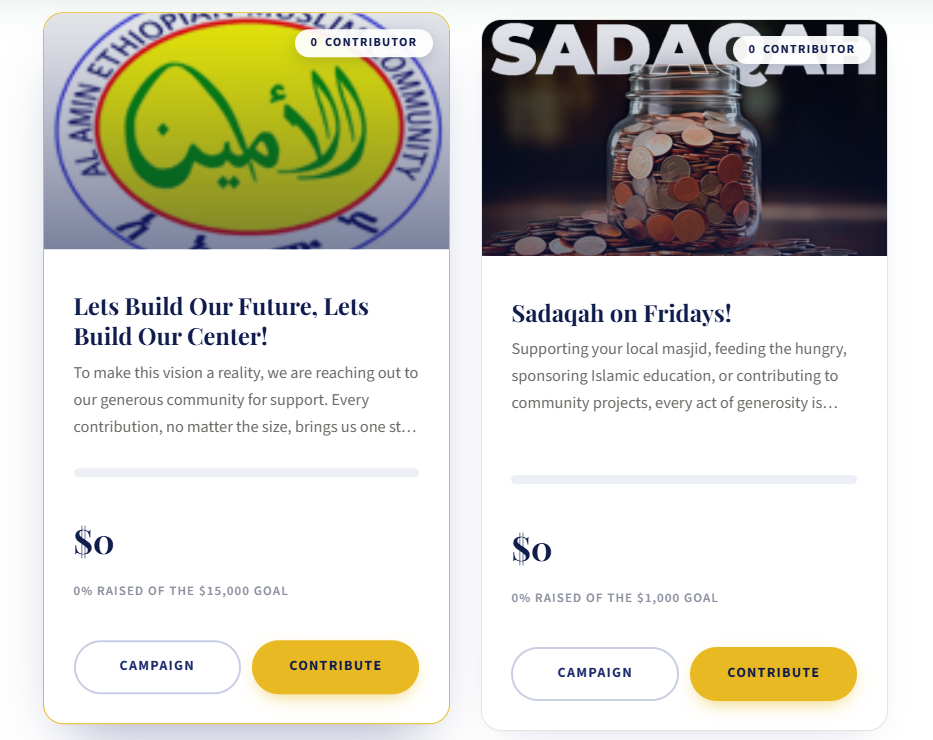
Displays your active Virtual Fundraising (VFR) campaigns. Each campaign shows its progress and a Donate button linking to the online donation page. (Appears as "VFR" in the Elementor MOHID category.)
- Live campaign progress, goals and a per-campaign Donate button
- Campaign Listing (list) or Campaign Cards (styled cards)
- Avatar/Icon toggle on the card layout (default: Hide)
- Editable Campaign Card Title and full card, button and hover styling
Drop it in and choose Campaign Listing or Campaign Cards; on the card layout toggle the Avatar/Icon. Then style card backgrounds, borders, radius, the Donate button and its hover state, and typography in the Style tab.
Programs
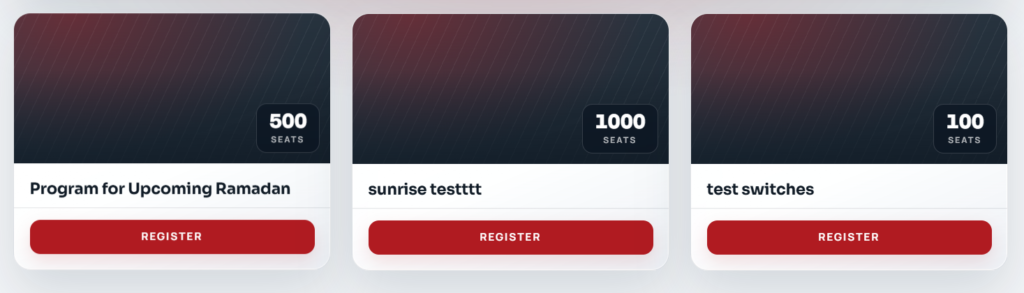
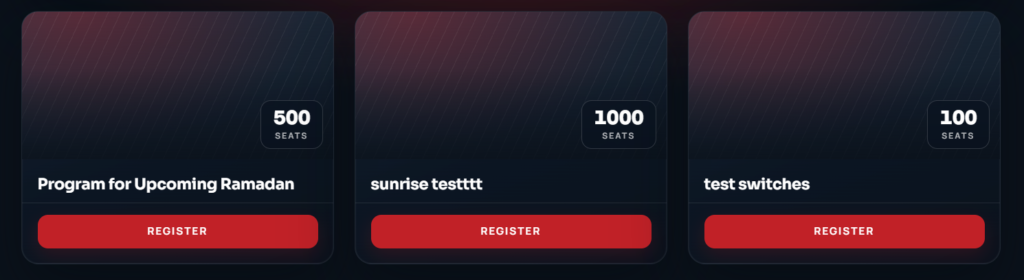
Displays programs and classes from your MOHID account, such as Quran classes, Islamic studies and youth programs, each with a registration link.
- Live list of programs with registration links
- Program Listing (list) or Program Cards (styled cards)
- Default green card header + button (#298A38), fully restyleable
- Editable Program Card Title with full card, button, hover and typography control
Drop it in, pick Program Listing or Program Cards, then style the card head/body/footer, the green buttons (#298A38) and their hover state, borders, radius and typography in the Style tab. Registration links come through automatically from MOHID.
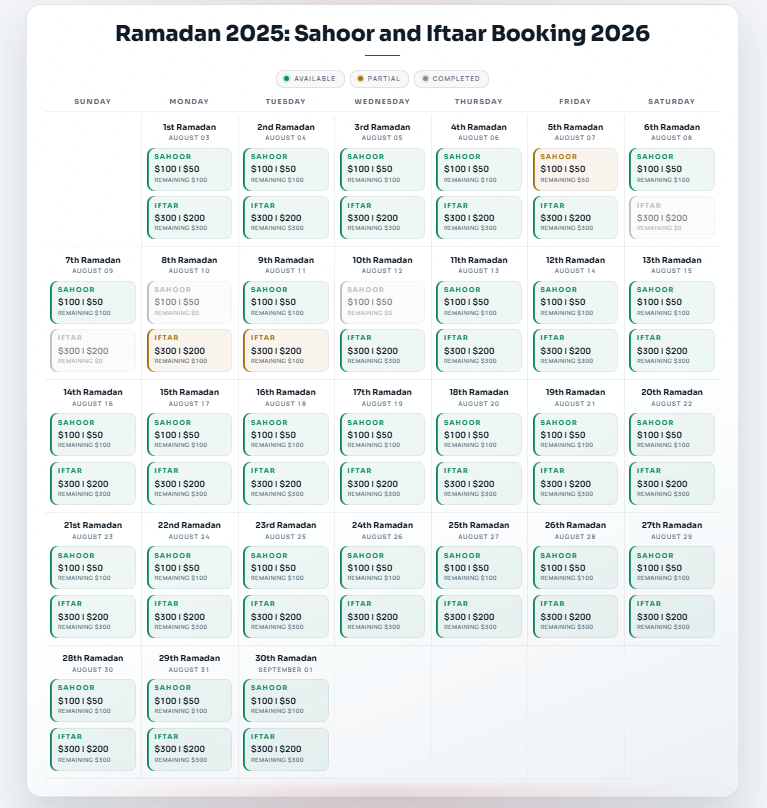
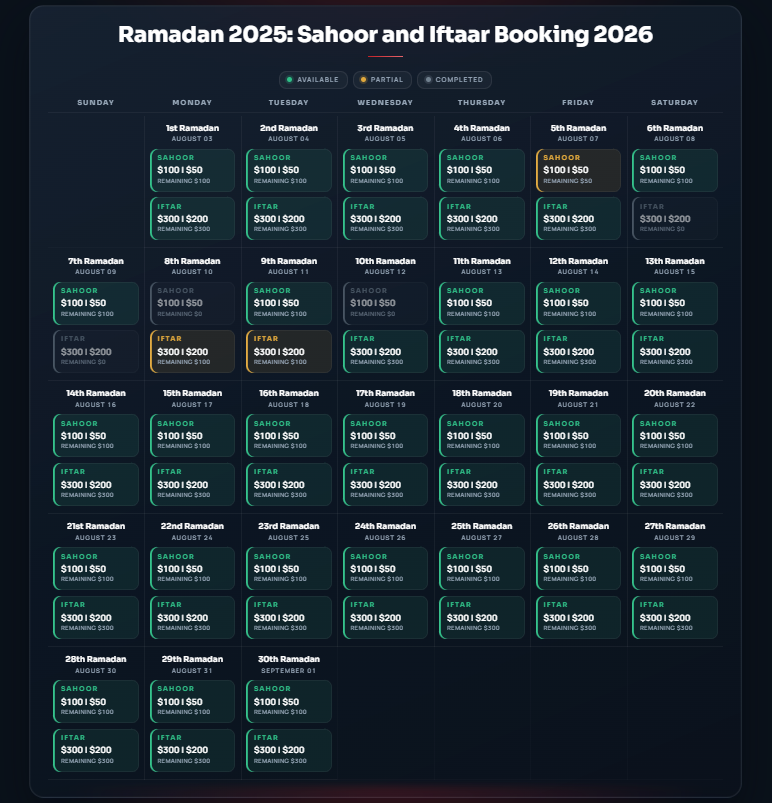
Scheduler
Shows a schedule or calendar of events and activities. Useful for Ramadan schedules, weekly programs and donation calendars where people sign up or contribute for specific days.
- Full Page view, or Navigation view that browses through days
- Navigation Display: 7 Days or 1 Day at a time
- Scheduler selector (pick which scheduler from your MOHID account)
- Toggles: Instructions (Show), Past Days Amount (Hide), Past Days Contribution (No) and Border (Show)
Drop it in, choose Full Page or Navigation, and on Navigation set Display to 7 Days or 1 Day. Select your Scheduler from the dropdown, then toggle Instructions, Past Days Amount, Past Days Contribution and Border. Style event blocks, titles, buttons and backgrounds (solid, gradient or image) in the Style tab.
Blessed Ten
Displays the Blessed Ten module, MOHID's fundraising feature for the last 10 nights of Ramadan or the first 10 days of Dhul Hijjah, where visitors can set up automated daily donations.
- Automated daily giving across the ten blessed days
- Date Range toggle (Show / Hide)
- Select Menu + Show in Menu option to place it in a site menu
- Separate Title, Dates and Button styling with backgrounds, gradients and hover
Drop it in, toggle the Date Range on or off, and optionally choose a menu via Select Menu and enable Show in Menu. In the Style tab you can style the Title, Dates and Button areas: backgrounds (solid or gradient), alignment, borders and hover.


FR Events Listing
Displays a full listing of all fundraising events from your MOHID account, with each event's date, time, venue and ticket / registration links. (Appears as "Fundraiser Events" in the Elementor MOHID category.)
- Complete list of fundraising events with date, time, venue and tickets
- FR Event Listing (list) or FR Event Cards
- Card display can be a static grid or a Slider
- Separate Date/Time, Title & Description and Ticket Details styling
Drop it in and choose FR Event Listing or FR Event Cards. On the listing pick a Display option; on cards choose Display 1 or Slider. In the Style tab you can style the Date/Time, Title & Description and Ticket Details blocks: backgrounds, borders, radius, hover and typography.
Upcoming FR Events
Highlights one upcoming fundraising event with a countdown. Works well on a homepage or in a sidebar.
- FR Event Countdown layout for one selected event
- Events selector to choose which event to feature
- Countdown display counting down to the event
- Full color, card and button styling like the events listing
Drop it where you want a compact countdown block, choose the FR Event Countdown layout, and pick the specific event from the Events dropdown. Then style colors, the card and buttons in the Style tab.
Content tab vs Style tab
The Content tab handles layout selection, show/hide sections and text labels. The Style tab controls colors, backgrounds, typography, spacing, borders, shadows and hover effects.
Always up to date
Every widget pulls fresh data from the MOHID API through WordPress cron. Prayer times, donations, campaigns, schedulers, programs and events all refresh on their own every 5 minutes, so there's nothing to update by hand.
Ready to connect your masjid?
Install the plugin, add your MOHID API keys, and drop any of these 9 widgets onto your Elementor pages.